








Video content still has the upper hand when it comes to engagement rates — TikTok and Instagram Reels are great examples of short-form videos that attract viewers’ attention. If you’ve been watching your video-posting competitors consistently outperform your static image content on every platform, you’re not imagining things. The algorithm reality in 2026 is straightforward: video gets more reach, more engagement, and more discovery than photos on virtually every major platform where consumers spend their time.
The frustrating part is that most creators and small businesses already have exactly what they need to produce video content — they just don’t realize it yet. That folder of product photos, that collection of brand imagery, those professional shots from a recent event: all of it is raw material for compelling video content. The missing piece has been the production step that converts existing photographs into polished, platform-ready video. AI image-to-video generation is that missing piece, and in 2026 it’s genuinely good enough for professional use.
What Image to Video AI Actually Does — and Why It’s Different From a Slideshow
Before anything else, it’s worth clearing up a common misconception. AI image-to-video generation is not a slideshow maker with transitions. A slideshow takes your images and displays them in sequence with basic effects. AI generation analyzes the visual information in your photographs — the depth, the lighting, the subjects, the spatial relationships — and generates realistic motion that’s contextually appropriate for what’s in the image.
Water flows naturally. Fabric moves in a breeze. A camera tracks slowly through a scene. Light shifts across a surface. These aren’t preset animations applied to your image — they’re generated responses to what the AI actually sees in your photograph, which is what makes the output feel like a real video clip rather than an enhanced slideshow.
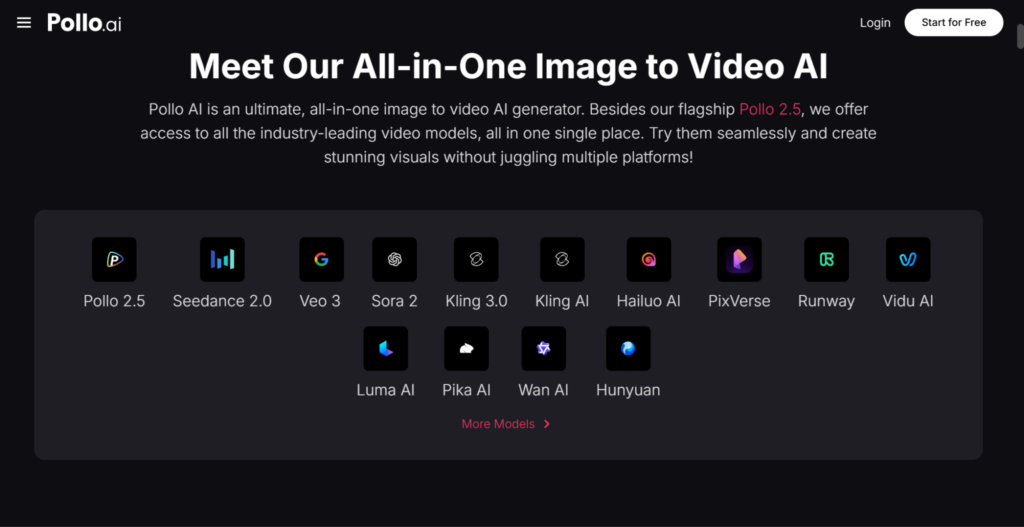
Pollo AI’s dedicated image to video tool inside its Creative Studio brings this capability into a multi-model environment. Different AI models handle different types of images and motion styles better, and having access to multiple models within the same platform on shared credits means you can match the generation approach to your specific content type — product photography, lifestyle imagery, portrait content, or environmental shots — rather than accepting whatever a single model does with everything you throw at it.
Who Gets the Most Value From Image to Video Generation
The use cases that deliver the clearest and most immediate return break down consistently across different user types. For e-commerce businesses and product sellers, animating product photography for social commerce is the highest-impact application. Brands must spend in high-quality production since video content still has the upper hand when it comes to engagement rates — and a short product video that shows an item in motion, from multiple angles, or in a lifestyle context converts better than a static image in virtually every product category.
For social media creators and influencers, image-to-video generation solves the content volume problem. Maintaining consistent presence across Instagram, TikTok, and YouTube Shorts requires more video content than most creators can realistically produce through traditional filming. Converting your existing photo library into video content extends your production capacity without extending your working hours.
For small businesses without dedicated video production resources, it makes professional video content accessible without a production budget. A restaurant can animate its food photography into appealing content for Instagram. A boutique can turn its lookbook images into product showcase reels. A service business can bring its case study photography to life in a way that static images never could.
Pollo AI’s Commerce and Marketing Studios: Beyond the Creative Layer
Image-to-video generation sits within Pollo AI’s Creative Studio, but the platform’s broader structure is worth understanding if you produce content across different purposes. The Commerce Studio handles product image generation and enhancement — generating professional product photography with custom backgrounds, lifestyle contexts, and e-commerce-ready compositions from simple source images. The Marketing Studio is built specifically for advertising and promotional video output, with platform format requirements and performance marketing standards built into the generation process.
For creators and small businesses managing visual content across organic social, paid advertising, and e-commerce simultaneously, having all three capabilities under one account on shared credits eliminates the tool fragmentation that typically makes multi-channel content production expensive and complicated.
Canva AI and the Design Tool Ecosystem
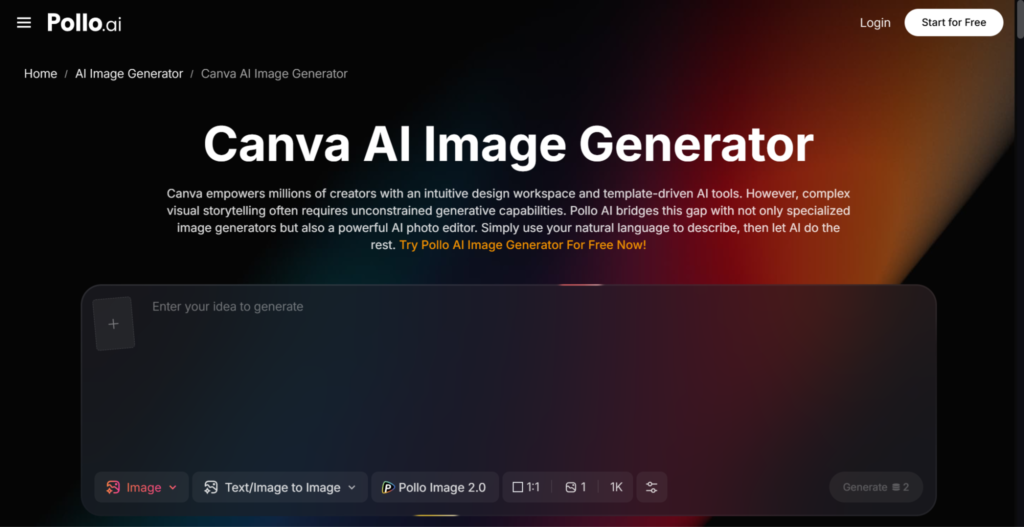
Understanding where image-to-video generation fits alongside tools you’re already using helps you build a workflow that reduces friction rather than adding to it. Canva AI has expanded its capabilities significantly and now includes AI image generation and animation features within its design environment — for teams already using Canva for social media graphics, presentations, and brand assets, the integrated approach keeps the workflow consolidated and reduces context switching.
Where dedicated AI generation platforms like Pollo AI serve a different function is in the depth and realism of the generated motion. Canva’s animation tools apply predetermined animation styles to design elements, which works well for graphic-based content. AI image-to-video generation produces motion that responds to what’s actually in the photograph — which produces more realistic, video-like output for photography-based content. Understanding which tool is optimized for which content type helps you use each where it performs best rather than trying to force one platform to handle everything.
Getting Started: A Practical First Workflow
Staying ahead of the curve is crucial as the tech industry develops at a breakneck pace — and businesses need to make the most of their digital platforms if they want to take advantage of the increasing number of customers who prefer to interact with video content. The practical starting point for anyone new to image-to-video generation is identifying the single content type in your current workflow that would benefit most from being in video format — usually product photography for sellers, or lifestyle imagery for creators and brands.
Take your five strongest images of that type, run them through the generation tool, and compare the outputs. Notice what motion directions work well for that type of image, what prompts produce the most realistic and useful results, and what the finished clips look and feel like in the context of your other content. That first session of experimentation builds the workflow knowledge that makes subsequent production faster and more consistent.
In 2026, the businesses and creators who are building the strongest visual presences online are the ones who’ve found efficient, repeatable ways to produce video content at scale. Image-to-video AI is one of the most practical tools available for doing exactly that — turning the photography you’ve already invested in into the video format that drives reach, engagement, and results across every platform that matters.